Narrow and explainable
Requested permissions and host access appear proportionate to the extension's visible purpose.
Upload a Chrome, Edge or Firefox extension package and get a permission-by-permission risk breakdown: Host access, content scripts, remote code loading, external endpoints and the manifest settings that matter.
To get an extension's file: Use a CRX downloader for the store URL, or copy it from your browser profile's Extensions folder. Auditing extensions
9 checks across 1 areas. Each links to its reference page with the test, the risk and the fix.
The ones that most often decide the grade:
The analyzer connects manifest permissions with the code and network access packaged inside a Chrome, Edge or Firefox extension.
Browser extensions can read and modify pages with privileges ordinary websites do not have. A permission is not automatically malicious, but its scope should match the extension's purpose. A colour picker should not normally need access to every website, browsing history and downloads.
Scan.now unpacks the CRX, XPI or ZIP within strict archive limits, reads the manifest, maps permissions to plain-language capabilities and reviews content scripts, host patterns, externally reachable resources and references to remote code or network endpoints. The package is analysed statically and is never installed or executed.
This scanner answers one part of the review. Continue with Browser Check for fingerprint, leaks, version, policies, then WebRTC & IP Leak Test for real ip exposure behind a vpn. These are separate checks because a strong result here does not prove that the adjacent surface is healthy.
For the background behind these signals, read Are Browser Extensions Safe? How to Audit What You Have Installed and How Ad Blockers and Tracker Blockers Work (and Why Manifest V3 Changed Them). The Extension can read and change data on all websites check reference explains the exact test, evidence and remediation used in the report. The Scan.now methodology explains request limits, scan boundaries and what the scanner deliberately does not attempt.
Risk comes from the combination of permission breadth, where code runs and what that code can communicate with.
| Area | What is inspected | Why reviewers care |
|---|---|---|
| Permissions | Named browser capabilities such as tabs, history, downloads, cookies and webRequest. | Powerful APIs can expose browsing data or modify traffic. |
| Host access | Exact sites, wildcard domains and all-URLs patterns. | Broad access lets content scripts read or change many pages. |
| Content scripts | Match patterns, run timing, frames and JavaScript injected into pages. | Shows where extension code enters the page context. |
| Remote behaviour | External script references, dynamic code patterns and remotely hosted resources. | Behaviour changed outside the reviewed package can bypass normal release review. |
| Network endpoints | Public hosts and URLs referenced in manifest and supported source files. | Reveals analytics, update, API and data-transfer destinations for manual review. |
The analyzer reports capability and evidence, not an accusation about the developer's intent.
Requested permissions and host access appear proportionate to the extension's visible purpose.
Broad page access combined with sensitive APIs, dynamic code or unexplained endpoints deserves close review before installation.
Password managers, blockers and developer tools often need broad access. Trust, maintenance and code provenance still matter.
Continue the review with four checks that cover adjacent parts of the same attack surface.
Fingerprint, leaks, version, policies
Real IP exposure behind a VPN
Breach lookup and strength analysis
Lookalike domains and hidden redirects
Background reading written to go with these results.
 7 min read · Updated Sep 10, 2026
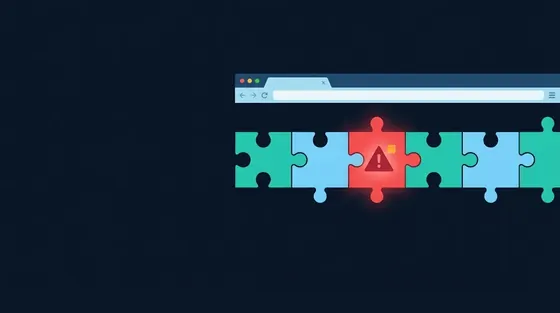
Are Browser Extensions Safe? How to Audit What You Have Installed
7 min read · Updated Sep 10, 2026
Are Browser Extensions Safe? How to Audit What You Have Installed
Extensions run with more access than any website, and a sold or hijacked extension can read everything you do. What each permission...
Read the guide 8 min read · Updated Sep 04, 2026
How Ad Blockers and Tracker Blockers Work (and Why Manifest V3 Changed Them)
8 min read · Updated Sep 04, 2026
How Ad Blockers and Tracker Blockers Work (and Why Manifest V3 Changed Them)
A content blocker matches every request against filter lists and stops the ones that serve ads or trackers. Filter lists, cosmetic...
Read the guide 7 min read · Updated Sep 06, 2026
Automatically Deleting Cookies: Why It Cuts Tracking and How to Set It Up
7 min read · Updated Sep 06, 2026
Automatically Deleting Cookies: Why It Cuts Tracking and How to Set It Up
Deleting cookies when you close a tab breaks the long-lived identifiers trackers depend on while keeping the sites you choose logged in....
Read the guideDownload it from the store with a CRX/XPI downloader tool, or export it from your browser's extensions folder. Firefox add-ons are .xpi files; Chrome and Edge use .crx.
No. An ad blocker or password manager genuinely needs it. The question is whether the extension's purpose justifies it and whether the code does anything beyond that purpose.
Code the extension downloads at runtime instead of shipping in the package. It lets an author change behaviour after review, which is why Manifest V3 forbids it.
Your access begins as soon as Stripe confirms payment.
Secure payment and receipts are handled by Stripe. Scan.now never receives your card number.
Renews automatically at $19.99 per month until cancelled. Cancel from your Stripe billing portal and keep access through the paid period. By continuing you agree to the terms, privacy policy and refund policy. The statement descriptor is SCAN.NOW.

Confirm the secure step below and Premium unlocks as soon as Stripe confirms payment.
Renews automatically at $19.99 per month until cancelled. Cancel from your Stripe billing portal and keep access through the paid period. By continuing you agree to the terms, privacy policy and refund policy. Payments are processed by Stripe; Scan.now never receives your card number. The statement descriptor is SCAN.NOW.
Sign up free to see more
A free account unlocks larger previews and more scans. It is completely free — no card and no plan needed — and takes one click with Google.
We ask Google for your email address and nothing else. Without an account, the browser and password checks keep working, and your free scans come back tomorrow.