Enter the URL
We fetch it with a browser-like request and follow redirects.
Fetches the page and grades Content-Security-Policy, Strict-Transport-Security, X-Frame-Options, X-Content-Type-Options, Referrer-Policy, Permissions-Policy, the cross-origin isolation headers, cookie flags and CORS.
Public hosts only. About a handful of requests, usually finished in under 15 seconds. How we scan · Acceptable use
We fetch it with a browser-like request and follow redirects.
A CSP with 'unsafe-inline' or an HSTS max-age of a day is flagged as weak, not passed.
Each finding includes ready-to-paste values for nginx, Apache and common frameworks.
29 checks across 3 areas. Each links to its reference page with the test, the risk and the fix.
The ones that most often decide the grade:
Headers give the browser enforceable rules about scripts, framing, transport, content types and powerful device features.
Security headers are response instructions, not decorative metadata. A Content-Security-Policy can restrict script execution, HSTS can prevent an HTTPS connection from being downgraded, and frame controls can prevent another site from placing the page inside a deceptive overlay. Other policies reduce data leakage and disable browser capabilities the site never needs.
The scanner parses the values instead of awarding credit for presence alone. A CSP containing broad wildcards or unsafe script allowances is graded differently from a restrictive policy, and an HSTS header with a very short lifetime is not treated as equivalent to a durable deployment.
This scanner answers one part of the review. Continue with Website Scanner for headers, tls, cookies, exposed files, then LLM API Key Scanner for openai, anthropic, gemini and other ai keys. These are separate checks because a strong result here does not prove that the adjacent surface is healthy.
For the background behind these signals, read HTTP Security Headers Explained: Every Header, What It Blocks and How to Set It and Content Security Policy (CSP): A Practical Guide to Writing One That Works. The HTTPS is available check reference explains the exact test, evidence and remediation used in the report. The Scan.now methodology explains request limits, scan boundaries and what the scanner deliberately does not attempt.
Each policy closes a different browser attack or privacy path.
| Policy family | What the scanner reviews | Primary protection |
|---|---|---|
| Content-Security-Policy | Script sources, unsafe allowances, object, base, frame and upgrade directives. | Limits script injection and untrusted resource loading. |
| Strict-Transport-Security | Presence, max-age, subdomain coverage and preload readiness. | Keeps returning visitors on HTTPS. |
| Framing and MIME | frame-ancestors or X-Frame-Options, plus X-Content-Type-Options. | Reduces clickjacking and content-type confusion. |
| Privacy policies | Referrer-Policy and Permissions-Policy directives. | Restricts URL leakage and access to camera, microphone, location and other features. |
| Isolation, cookies and CORS | COOP, COEP, CORP, cookie flags and cross-origin response behaviour. | Separates browsing contexts and protects session or cross-origin data. |
A header can be present, weak or well configured. The value determines the protection.
The header is present with a value that provides meaningful protection for the tested page.
A missing policy or permissive directive leaves a practical browser attack path open and should be reviewed.
Some isolation or permissions policies depend on application features. Confirm compatibility before enforcing them site-wide.
Continue the review with four checks that cover adjacent parts of the same attack surface.
Headers, TLS, cookies, exposed files
OpenAI, Anthropic, Gemini and other AI keys
Certificate, expiry, protocols, ciphers
SPF, DKIM, DMARC and MX records
Background reading written to go with these results.
 9 min read · Updated Sep 15, 2026
HTTP Security Headers Explained: Every Header, What It Blocks and How to Set It
9 min read · Updated Sep 15, 2026
HTTP Security Headers Explained: Every Header, What It Blocks and How to Set It
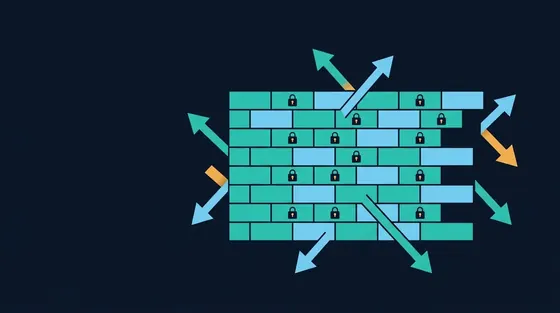
Security headers are instructions a server sends the browser to switch on protections: Framing, MIME sniffing, referrer leakage, script...
Read the guide 9 min read · Updated Sep 16, 2026
Content Security Policy (CSP): A Practical Guide to Writing One That Works
9 min read · Updated Sep 16, 2026
Content Security Policy (CSP): A Practical Guide to Writing One That Works
A Content Security Policy tells the browser which scripts, styles and resources a page may load, which defeats most cross-site...
Read the guide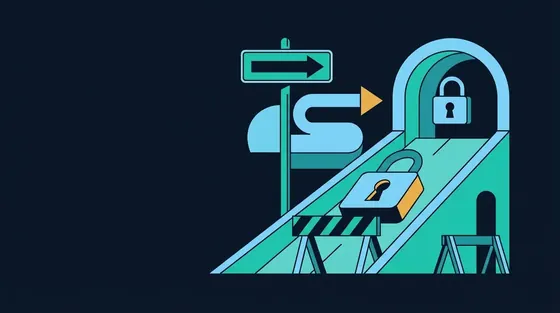 8 min read · Updated Sep 17, 2026
HSTS Explained: Strict-Transport-Security, Preloading and the Downgrade Attacks It Stops
8 min read · Updated Sep 17, 2026
HSTS Explained: Strict-Transport-Security, Preloading and the Downgrade Attacks It Stops
HTTP Strict Transport Security tells the browser to never load a site over plain HTTP again. The header, max-age and includeSubDomains,...
Read the guide 8 min read · Updated Sep 14, 2026
Clickjacking Explained: How Invisible Frames Hijack Clicks and How to Prevent It
8 min read · Updated Sep 14, 2026
Clickjacking Explained: How Invisible Frames Hijack Clicks and How to Prevent It
Clickjacking loads your site invisibly inside an attacker's page and tricks users into clicking buttons they cannot see. The attack,...
Read the guide 8 min read · Updated Sep 05, 2026
Cookie Security Flags: Secure, HttpOnly, SameSite and Cookie Prefixes
8 min read · Updated Sep 05, 2026
Cookie Security Flags: Secure, HttpOnly, SameSite and Cookie Prefixes
A session cookie without the right flags can be stolen over HTTP, read by injected script or sent in a forged cross-site request. Each...
Read the guideContent-Security-Policy, because it defeats most cross-site scripting, followed by Strict-Transport-Security. The rest are quick wins.
A policy that allows 'unsafe-inline' in script-src, wildcards, or omits object-src and base-uri leaves the main attack paths open. The report says which directive.
It costs nothing and disables camera, microphone and geolocation for any script that ends up on your page, including injected ones.
No. Browsers removed the auditor it controlled; set it to 0 or omit it and use a CSP.
Your access begins as soon as Stripe confirms payment.
Secure payment and receipts are handled by Stripe. Scan.now never receives your card number.
Renews automatically at $19.99 per month until cancelled. Cancel from your Stripe billing portal and keep access through the paid period. By continuing you agree to the terms, privacy policy and refund policy. The statement descriptor is SCAN.NOW.

Confirm the secure step below and Premium unlocks as soon as Stripe confirms payment.
Renews automatically at $19.99 per month until cancelled. Cancel from your Stripe billing portal and keep access through the paid period. By continuing you agree to the terms, privacy policy and refund policy. Payments are processed by Stripe; Scan.now never receives your card number. The statement descriptor is SCAN.NOW.
Sign up free to see more
A free account unlocks larger previews and more scans. It is completely free — no card and no plan needed — and takes one click with Google.
We ask Google for your email address and nothing else. Without an account, the browser and password checks keep working, and your free scans come back tomorrow.