
Security guides, written to go with the scanners.
Four topic hubs and their spokes: How browsers are tracked and hardened, what a website scan finds and how to fix it, how malware hides in files, and how to protect your privacy online. Every guide takes a position and shows a worked example.

The Complete Guide to Security Scanning: Browsers, Websites, Files and Privacy
Security scanning is the practice of checking a browser, a website, a file or an online account for known weaknesses before an attacker does. The four kinds of scan, what each one can and cannot find, how to read the results and what to fix first.
Read the complete guide 15 min readHow these guides are organised
There are 61 guides here and they are not a blog: Each one exists because a check in the checks reference needed more explanation than a results page can carry. They sit in four groups, each with a long-form hub guide at its centre and shorter pieces around it.
Read a hub first if the subject is new to you
The hub guides answer the whole question in one sitting — what the thing is, how it breaks, and what to do about it. The shorter guides assume you already have that and go deep on one mechanism, one error message or one setting.
Read a specific guide if you arrived from a scan
If a finding sent you here, the guide you want is linked from that finding’s check page, which is faster than browsing. Every check page carries the test, the risk, the fix and the guides that explain the background.
What every guide has in common
- It cites its sources. RFCs, W3C specifications and vendor documentation, listed at the foot of the page.
- It says when it was last reviewed, because standards move and advice ages badly.
- It says where it stops. Where something is a judgement call rather than a standard, the guide says so instead of stating it as fact.
- It is testable. Most describe something you can confirm on your own site with one of the scanners in a few seconds.
How they are researched, reviewed and corrected is set out in the editorial policy.
Browser Security
How your browser gets tracked and exploited, and how to harden it. Read the browser security hub →
 12 min read · Updated Sep 12, 2026
Browser Security: How Your Browser Is Attacked, Tracked and Hardened
12 min read · Updated Sep 12, 2026
Browser Security: How Your Browser Is Attacked, Tracked and Hardened
Your browser is the most exposed program on your computer. This hub explains the browser's security model, the ways it leaks identity...
Read the guide 7 min read · Updated Sep 02, 2026
Browser Fingerprinting Explained: How Sites Identify You Without Cookies
7 min read · Updated Sep 02, 2026
Browser Fingerprinting Explained: How Sites Identify You Without Cookies
Browser fingerprinting combines dozens of small facts about your browser and device into an identifier that survives cookie deletion and...
Read the guide 8 min read · Updated Sep 05, 2026
Is My Browser Secure? A Practical Checklist
8 min read · Updated Sep 05, 2026
Is My Browser Secure? A Practical Checklist
A secure browser is up to date, enforces the web's security policies, leaks little through WebRTC and fingerprinting, and runs only...
Read the guide 7 min read · Updated Sep 08, 2026
Browser Security Settings That Actually Matter (Chrome, Firefox, Safari, Edge)
7 min read · Updated Sep 08, 2026
Browser Security Settings That Actually Matter (Chrome, Firefox, Safari, Edge)
Most browser settings pages are long, but only a handful change your real exposure. The settings worth changing in each major browser,...
Read the guide 7 min read · Updated Sep 10, 2026
Are Browser Extensions Safe? How to Audit What You Have Installed
7 min read · Updated Sep 10, 2026
Are Browser Extensions Safe? How to Audit What You Have Installed
Extensions run with more access than any website, and a sold or hijacked extension can read everything you do. What each permission...
Read the guide 7 min read · Updated Sep 11, 2026
WebRTC Leaks: How Your Browser Can Expose Your Real IP Behind a VPN
7 min read · Updated Sep 11, 2026
WebRTC Leaks: How Your Browser Can Expose Your Real IP Behind a VPN
WebRTC lets browsers talk to each other directly, and to do that it discovers your network addresses, sometimes bypassing a VPN. The...
Read the guide 6 min read · Updated Sep 12, 2026
Cookies Explained: First-Party, Third-Party, SameSite and the Flags That Protect Them
6 min read · Updated Sep 12, 2026
Cookies Explained: First-Party, Third-Party, SameSite and the Flags That Protect Them
Cookies keep you logged in and also follow you across sites. How they work, the difference between first- and third-party cookies, what...
Read the guide 7 min read · Updated Sep 13, 2026
Why Browser Updates Matter: Zero-Days, Patch Gaps and Auto-Update
7 min read · Updated Sep 13, 2026
Why Browser Updates Matter: Zero-Days, Patch Gaps and Auto-Update
Browsers are patched every few weeks because attackers find exploitable bugs constantly. What a zero-day is, how long you are exposed...
Read the guide 7 min read · Updated Sep 14, 2026
HTTPS-Only Mode: What It Protects and Why You Should Turn It On
7 min read · Updated Sep 14, 2026
HTTPS-Only Mode: What It Protects and Why You Should Turn It On
HTTPS-Only mode makes the browser refuse plain HTTP connections unless you explicitly allow them. What an unencrypted connection...
Read the guide 7 min read · Updated Sep 15, 2026
What Private Browsing Does and Does Not Hide
7 min read · Updated Sep 15, 2026
What Private Browsing Does and Does Not Hide
Incognito and private windows delete local history, but they do not hide you from websites, your network or your fingerprint. This guide...
Read the guide 6 min read · Updated Sep 16, 2026
Secure DNS (DoH and DoT): Stopping Your ISP and Network From Seeing Every Site You Visit
6 min read · Updated Sep 16, 2026
Secure DNS (DoH and DoT): Stopping Your ISP and Network From Seeing Every Site You Visit
Every website visit starts with a DNS lookup, and by default it is sent in plain text. DNS over HTTPS and DNS over TLS, what they hide,...
Read the guide 6 min read · Updated Sep 17, 2026
Are Browser Password Managers Safe? Built-In vs Dedicated Managers
6 min read · Updated Sep 17, 2026
Are Browser Password Managers Safe? Built-In vs Dedicated Managers
Chrome, Firefox, Safari and Edge all store passwords, and they are safer than reuse. This guide compares built-in managers with...
Read the guideWebsite Security
What a vulnerability scan looks for on a website and how to fix what it finds. Read the website security hub →
 13 min read · Updated Sep 13, 2026
Website Security: What a Vulnerability Scan Looks For and How to Fix It
13 min read · Updated Sep 13, 2026
Website Security: What a Vulnerability Scan Looks For and How to Fix It
A website vulnerability scan checks the parts of a site an attacker can reach without logging in: Transport security, HTTP headers,...
Read the guide 8 min read · Updated Sep 12, 2026
What Is a Vulnerability Scan? Types, Limits and What the Results Mean
8 min read · Updated Sep 12, 2026
What Is a Vulnerability Scan? Types, Limits and What the Results Mean
A vulnerability scan checks a system against a list of known weaknesses and reports what matches. The types of scan, the difference...
Read the guide 8 min read · Updated Sep 14, 2026
Passive vs Active Scanning: What Each Can Find and When Each Is Appropriate
8 min read · Updated Sep 14, 2026
Passive vs Active Scanning: What Each Can Find and When Each Is Appropriate
Passive scanning observes normal responses; active scanning sends crafted requests to trigger flaws. The boundary, why it matters...
Read the guide 9 min read · Updated Sep 15, 2026
HTTP Security Headers Explained: Every Header, What It Blocks and How to Set It
9 min read · Updated Sep 15, 2026
HTTP Security Headers Explained: Every Header, What It Blocks and How to Set It
Security headers are instructions a server sends the browser to switch on protections: Framing, MIME sniffing, referrer leakage, script...
Read the guide 9 min read · Updated Sep 16, 2026
Content Security Policy (CSP): A Practical Guide to Writing One That Works
9 min read · Updated Sep 16, 2026
Content Security Policy (CSP): A Practical Guide to Writing One That Works
A Content Security Policy tells the browser which scripts, styles and resources a page may load, which defeats most cross-site...
Read the guide 8 min read · Updated Sep 17, 2026
HSTS Explained: Strict-Transport-Security, Preloading and the Downgrade Attacks It Stops
8 min read · Updated Sep 17, 2026
HSTS Explained: Strict-Transport-Security, Preloading and the Downgrade Attacks It Stops
HTTP Strict Transport Security tells the browser to never load a site over plain HTTP again. The header, max-age and includeSubDomains,...
Read the guide 9 min read · Updated Sep 18, 2026
SSL and TLS Explained: Certificates, Handshakes, Protocol Versions and Cipher Suites
9 min read · Updated Sep 18, 2026
SSL and TLS Explained: Certificates, Handshakes, Protocol Versions and Cipher Suites
TLS is the protocol behind the padlock. What a certificate proves, how the handshake works, why TLS 1.0 and 1.1 are retired, what a...
Read the guide 8 min read · Updated Sep 18, 2026
TLS Certificate Errors Explained: Expired, Mismatched, Self-Signed and Untrusted Chains
8 min read · Updated Sep 18, 2026
TLS Certificate Errors Explained: Expired, Mismatched, Self-Signed and Untrusted Chains
A certificate warning means the browser could not prove it is talking to the right server. Each error, what causes it on the server...
Read the guide 9 min read · Updated Sep 19, 2026
The OWASP Top 10 Explained in Plain Language
9 min read · Updated Sep 19, 2026
The OWASP Top 10 Explained in Plain Language
The OWASP Top 10 is the most cited list of web application risks. Each category with a concrete example, which ones a scanner can detect...
Read the guide 8 min read · Updated Sep 19, 2026
Cross-Site Scripting (XSS) Explained: Reflected, Stored, DOM-Based and How to Prevent It
8 min read · Updated Sep 19, 2026
Cross-Site Scripting (XSS) Explained: Reflected, Stored, DOM-Based and How to Prevent It
XSS lets an attacker run their own script in your users' browsers. The three types, what an attacker does with it and the layered...
Read the guide 8 min read · Updated Sep 20, 2026
SQL Injection Explained: How It Works, Real Consequences and How to Prevent It
8 min read · Updated Sep 20, 2026
SQL Injection Explained: How It Works, Real Consequences and How to Prevent It
SQL injection turns user input into database commands. The mechanism with examples, why it is still common, why external scanners rarely...
Read the guide 8 min read · Updated Sep 20, 2026
Outdated JavaScript Libraries: Why Old jQuery and Angular Are a Real Risk and How to Find Them
8 min read · Updated Sep 20, 2026
Outdated JavaScript Libraries: Why Old jQuery and Angular Are a Real Risk and How to Find Them
A page that ships an old library ships its known vulnerabilities. How Retire.js-style detection works, the most common vulnerable...
Read the guide 8 min read · Updated Sep 02, 2026
Subresource Integrity (SRI): Protecting Your Site From a Compromised CDN
8 min read · Updated Sep 02, 2026
Subresource Integrity (SRI): Protecting Your Site From a Compromised CDN
When a page loads a script from a CDN, it trusts that CDN completely. Subresource Integrity pins the script to a hash so a tampered file...
Read the guide 8 min read · Updated Sep 05, 2026
Cookie Security Flags: Secure, HttpOnly, SameSite and Cookie Prefixes
8 min read · Updated Sep 05, 2026
Cookie Security Flags: Secure, HttpOnly, SameSite and Cookie Prefixes
A session cookie without the right flags can be stolen over HTTP, read by injected script or sent in a forged cross-site request. Each...
Read the guide 8 min read · Updated Sep 08, 2026
Mixed Content: Why an HTTPS Page Loading HTTP Resources Is Still Insecure
8 min read · Updated Sep 08, 2026
Mixed Content: Why an HTTPS Page Loading HTTP Resources Is Still Insecure
Mixed content is an HTTPS page that pulls in scripts, images or forms over plain HTTP. Active versus passive mixed content, what...
Read the guide 9 min read · Updated Sep 10, 2026
SPF, DKIM and DMARC Explained: Stopping Email Spoofing of Your Domain
9 min read · Updated Sep 10, 2026
SPF, DKIM and DMARC Explained: Stopping Email Spoofing of Your Domain
Without SPF, DKIM and DMARC anyone can send email that appears to come from your domain. What each record does, how to write them, how...
Read the guide 9 min read · Updated Sep 12, 2026
Exposed Files: .git, .env, Backups and Debug Pages That Leak Your Site's Secrets
9 min read · Updated Sep 12, 2026
Exposed Files: .git, .env, Backups and Debug Pages That Leak Your Site's Secrets
Many breaches start with a file that should never have been public: A .git folder, a .env with database credentials, a backup archive or...
Read the guide
9 min read · Updated Sep 20, 2026
Exposed LLM API Keys: How They Leak, How to Find Them and What to Do Next
An LLM API key in browser JavaScript is a public bearer credential. Learn how OpenAI, Anthropic, Gemini and other keys reach frontend...
Read the guide 8 min read · Updated Sep 14, 2026
Clickjacking Explained: How Invisible Frames Hijack Clicks and How to Prevent It
8 min read · Updated Sep 14, 2026
Clickjacking Explained: How Invisible Frames Hijack Clicks and How to Prevent It
Clickjacking loads your site invisibly inside an attacker's page and tricks users into clicking buttons they cannot see. The attack,...
Read the guide 9 min read · Updated Sep 15, 2026
Scanning a WordPress Site for Vulnerabilities: What Attackers Look For First
9 min read · Updated Sep 15, 2026
Scanning a WordPress Site for Vulnerabilities: What Attackers Look For First
WordPress runs a large share of the web and is attacked accordingly. What an external scan reveals about a WordPress site, from version...
Read the guide 9 min read · Updated Sep 16, 2026
CVE and CVSS Explained: How Vulnerabilities Are Named, Scored and Prioritised
9 min read · Updated Sep 16, 2026
CVE and CVSS Explained: How Vulnerabilities Are Named, Scored and Prioritised
Every public vulnerability gets a CVE identifier and usually a CVSS score. How the numbering works, what the score measures and does...
Read the guide 10 min read · Updated Sep 17, 2026
Open-Source Security Scanners Compared: Nuclei, ZAP, OpenVAS, testssl.sh, Retire.js and ClamAV
10 min read · Updated Sep 17, 2026
Open-Source Security Scanners Compared: Nuclei, ZAP, OpenVAS, testssl.sh, Retire.js and ClamAV
The best-known scanners are free and open source, and each answers a different question. What Nuclei, OWASP ZAP, OpenVAS, testssl.sh,...
Read the guide 9 min read · Updated Sep 18, 2026
How to Read a Security Scan Report: Severity, False Positives and What to Fix First
9 min read · Updated Sep 18, 2026
How to Read a Security Scan Report: Severity, False Positives and What to Fix First
A scan report is a list of findings with severities, and the hard part is deciding what matters. How severities are assigned, how to...
Read the guideMalware & File Safety
How malware hides in ordinary files and how scanners catch it. Read the malware & file safety hub →
 12 min read · Updated Sep 11, 2026
Malware and File Scanning: How Scanners Detect Viruses, Trojans and Malicious Documents
12 min read · Updated Sep 11, 2026
Malware and File Scanning: How Scanners Detect Viruses, Trojans and Malicious Documents
A file scanner looks for known malware by signature, for suspicious structure such as macros and embedded scripts, and for behaviour...
Read the guide 8 min read · Updated Sep 02, 2026
How Antivirus and Malware Scanning Actually Works
8 min read · Updated Sep 02, 2026
How Antivirus and Malware Scanning Actually Works
A scanner decides whether a file is malicious by matching known signatures, analysing structure, emulating behaviour and consulting...
Read the guide 8 min read · Updated Sep 05, 2026
Signature vs Heuristic vs Behavioural Detection: How Malware Scanners Differ
8 min read · Updated Sep 05, 2026
Signature vs Heuristic vs Behavioural Detection: How Malware Scanners Differ
Signatures catch what has been seen before; heuristics catch what looks wrong; behavioural analysis catches what acts wrong. Each...
Read the guide 8 min read · Updated Sep 08, 2026
File Hashes Explained: MD5, SHA-1, SHA-256 and How They Identify Malware
8 min read · Updated Sep 08, 2026
File Hashes Explained: MD5, SHA-1, SHA-256 and How They Identify Malware
A hash is a fixed-length fingerprint of a file's bytes. How hashing works, why MD5 and SHA-1 are no longer trusted for security, how...
Read the guide 7 min read · Updated Sep 10, 2026
The EICAR Test File: Safely Testing Whether Your Scanner Works
7 min read · Updated Sep 10, 2026
The EICAR Test File: Safely Testing Whether Your Scanner Works
EICAR is a harmless 68-byte string every antivirus is required to detect. What it is, how to create it, what a detection should look...
Read the guide 8 min read · Updated Sep 11, 2026
Malicious PDF Files: How a Document Runs Code and How to Check One
8 min read · Updated Sep 11, 2026
Malicious PDF Files: How a Document Runs Code and How to Check One
PDFs can carry JavaScript, launch actions, embedded files and exploits for the reader itself. The structures attackers use, the signals...
Read the guide 8 min read · Updated Sep 12, 2026
Office Macro Malware: Why 'Enable Content' Is Still the Most Dangerous Button
8 min read · Updated Sep 12, 2026
Office Macro Malware: Why 'Enable Content' Is Still the Most Dangerous Button
Word and Excel macros remain a leading malware delivery method because they run with your privileges. How macro droppers work, the newer...
Read the guide 8 min read · Updated Sep 13, 2026
Disguised Files: Double Extensions, Fake Icons and Executables Pretending to Be Documents
8 min read · Updated Sep 13, 2026
Disguised Files: Double Extensions, Fake Icons and Executables Pretending to Be Documents
invoice.pdf.exe, a screensaver with a folder icon, a shortcut that runs PowerShell: Attackers rely on the file looking harmless. The...
Read the guide 8 min read · Updated Sep 14, 2026
Archives and Zip Bombs: Why Compressed Files Need Their Own Scan
8 min read · Updated Sep 14, 2026
Archives and Zip Bombs: Why Compressed Files Need Their Own Scan
Archives hide malware from casual inspection, can be password-protected to defeat scanners and can expand to terabytes to crash them....
Read the guide 8 min read · Updated Sep 15, 2026
ClamAV Explained: The Open-Source Antivirus Engine and What Its Verdicts Mean
8 min read · Updated Sep 15, 2026
ClamAV Explained: The Open-Source Antivirus Engine and What Its Verdicts Mean
ClamAV is the open-source engine behind mail gateways, file servers and many online scanners. Its signature databases, what it detects...
Read the guide 8 min read · Updated Sep 16, 2026
Is This File Safe? A Step-by-Step Way to Judge a File Before Opening It
8 min read · Updated Sep 16, 2026
Is This File Safe? A Step-by-Step Way to Judge a File Before Opening It
You have a file and you are not sure. This guide gives an order of checks: Where it came from, its real type, its hash, a scan, and the...
Read the guide 8 min read · Updated Sep 17, 2026
How to Scan Downloads Before Opening Them (and What Your Browser Already Does)
8 min read · Updated Sep 17, 2026
How to Scan Downloads Before Opening Them (and What Your Browser Already Does)
Browsers, operating systems and online scanners each check downloads differently. What happens between clicking a link and opening the...
Read the guide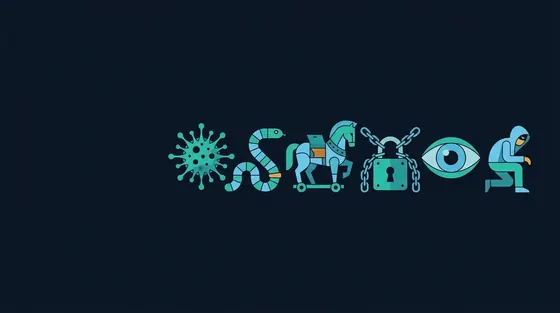 8 min read · Updated Sep 18, 2026
Malware Types Explained: Viruses, Worms, Trojans, Ransomware, Spyware and Infostealers
8 min read · Updated Sep 18, 2026
Malware Types Explained: Viruses, Worms, Trojans, Ransomware, Spyware and Infostealers
The words are used interchangeably but they describe different behaviour. This guide defines each type by how it spreads and what it...
Read the guidePrivacy & Security
Tracking, leaks, passwords and phishing: Protecting yourself online. Read the privacy & security hub →
 12 min read · Updated Sep 10, 2026
Online Privacy and Security: Tracking, Leaks, Passwords and Phishing
12 min read · Updated Sep 10, 2026
Online Privacy and Security: Tracking, Leaks, Passwords and Phishing
Privacy online is mostly about limiting what can be linked back to you: Trackers, leaked addresses, reused passwords and the phishing...
Read the guide 8 min read · Updated Sep 02, 2026
How Online Tracking Works: Cookies, Pixels, Fingerprints and Data Brokers
8 min read · Updated Sep 02, 2026
How Online Tracking Works: Cookies, Pixels, Fingerprints and Data Brokers
Tracking is the business of linking your visits across sites into a profile. Each technique from third-party cookies to fingerprinting...
Read the guide 8 min read · Updated Sep 04, 2026
How Ad Blockers and Tracker Blockers Work (and Why Manifest V3 Changed Them)
8 min read · Updated Sep 04, 2026
How Ad Blockers and Tracker Blockers Work (and Why Manifest V3 Changed Them)
A content blocker matches every request against filter lists and stops the ones that serve ads or trackers. Filter lists, cosmetic...
Read the guide 7 min read · Updated Sep 06, 2026
Automatically Deleting Cookies: Why It Cuts Tracking and How to Set It Up
7 min read · Updated Sep 06, 2026
Automatically Deleting Cookies: Why It Cuts Tracking and How to Set It Up
Deleting cookies when you close a tab breaks the long-lived identifiers trackers depend on while keeping the sites you choose logged in....
Read the guide 8 min read · Updated Sep 08, 2026
VPN vs Proxy vs Tor: What Each Hides, What Each Leaks
8 min read · Updated Sep 08, 2026
VPN vs Proxy vs Tor: What Each Hides, What Each Leaks
All three route your traffic through another machine, and they protect very different things. This guide compares them on encryption,...
Read the guide 7 min read · Updated Sep 10, 2026
What Your IP Address Reveals and How Sites Use It
7 min read · Updated Sep 10, 2026
What Your IP Address Reveals and How Sites Use It
Your IP address is sent to every server you contact. What it reveals about location and provider, what it does not, how it is combined...
Read the guide 8 min read · Updated Sep 11, 2026
Password Security: Length, Reuse, Breaches and How Passwords Are Actually Cracked
8 min read · Updated Sep 11, 2026
Password Security: Length, Reuse, Breaches and How Passwords Are Actually Cracked
Most account takeovers use a password that leaked somewhere else. How passwords are stored and cracked, why length beats complexity, how...
Read the guide 8 min read · Updated Sep 12, 2026
Two-Factor Authentication: SMS vs Authenticator Apps vs Passkeys and Security Keys
8 min read · Updated Sep 12, 2026
Two-Factor Authentication: SMS vs Authenticator Apps vs Passkeys and Security Keys
A second factor stops most password-based takeovers, but the methods differ enormously in strength. This guide ranks SMS codes,...
Read the guide 8 min read · Updated Sep 13, 2026
How to Spot Phishing: URLs, Lookalike Domains, Urgency and the Checks That Work
8 min read · Updated Sep 13, 2026
How to Spot Phishing: URLs, Lookalike Domains, Urgency and the Checks That Work
Phishing succeeds by looking legitimate at a glance. This guide teaches the checks that hold up: Reading a URL from the right end,...
Read the guide 8 min read · Updated Sep 14, 2026
Your Data Was in a Breach: What to Do in the First Hour, Day and Week
8 min read · Updated Sep 14, 2026
Your Data Was in a Breach: What to Do in the First Hour, Day and Week
Breach notifications are routine now, and the response is not obvious. This guide gives a prioritised checklist: Which passwords to...
Read the guide 8 min read · Updated Sep 15, 2026
Data Brokers: Who Has Your Personal Information and How to Get It Removed
8 min read · Updated Sep 15, 2026
Data Brokers: Who Has Your Personal Information and How to Get It Removed
Data brokers assemble profiles from public records, purchases and tracking, then sell them. Where the data comes from, the opt-out...
Read the guide 8 min read · Updated Sep 16, 2026
Do Not Track vs Global Privacy Control: Which Signal Sites Actually Have to Honour
8 min read · Updated Sep 16, 2026
Do Not Track vs Global Privacy Control: Which Signal Sites Actually Have to Honour
Do Not Track was ignored for a decade; Global Privacy Control has legal force in some jurisdictions. Both signals, how to send them,...
Read the guidePut a guide to the test.
Scan your own site, browser or a file and see the checks the guides describe.
