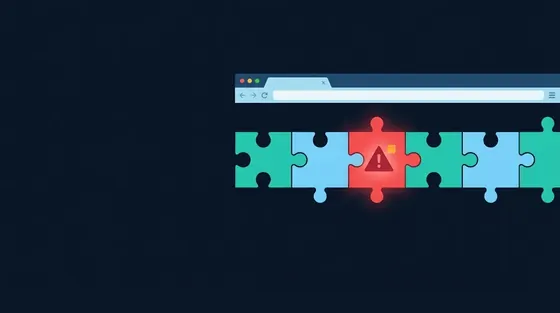
Browser updates matter because a browser processes untrusted code from every page it loads, which makes it the most attacked program on your machine. Vendors fix exploited zero-day bugs several times a year, and each fix only protects you once your copy has downloaded it and relaunched. Until then you are exposed to an attack that is public, documented and often automated within days.
Why browsers are attacked more than anything else
Almost every program on your computer runs code you chose to install. A browser is different: it runs JavaScript, decodes images, parses fonts, renders PDFs and executes WebAssembly from whoever controls the page you happen to be looking at. That makes it the largest attack surface a typical user exposes to the internet, and it is why a working exploit for a current browser is worth a great deal of money to both criminal groups and governments.
The defence is layered. The rendering engine runs in a sandboxed process with few privileges; each site is isolated in its own process; the JavaScript engine has mitigations against the most common bug classes. A modern exploit therefore usually needs two or three bugs chained together: one to run code inside the renderer, another to escape the sandbox, sometimes a third to elevate privileges in the operating system. Each of those bugs gets fixed when found, and the fix is what an update carries.
What a zero-day is
A zero-day is a vulnerability that is being exploited before the vendor has a fix, so the vendor has had zero days to respond. Once the fix ships, the bug is no longer a zero-day, but it remains dangerous as an n-day: attackers know exactly where the bug is, because they can compare the old and new code, and anyone who has not updated is still vulnerable. In practice, the n-day period is when most people get hit, because zero-day exploits are expensive and used sparingly, while n-day exploits are cheap and used broadly.
A concrete example: CVE-2023-4863 was a heap buffer overflow in libwebp, the image library used to decode WebP images. In September 2023 Google shipped a Chrome fix and stated that an exploit existed in the wild. Because the same library was embedded in Firefox, Edge, Safari, Electron apps and many others, the same bug had to be patched everywhere, and it was tracked separately by each. Anyone who visited a page carrying a crafted image with an unpatched browser could be compromised without clicking anything. Google's Project Zero keeps a public spreadsheet of vulnerabilities exploited in the wild, and CISA's Known Exploited Vulnerabilities catalogue lists the browser bugs it requires US federal agencies to patch on a deadline; both show several entries per major browser per year. How these bugs are numbered and scored is explained in CVE and CVSS explained.
How the patch gap works
The patch gap is the delay between a vulnerability being fixed somewhere public and the fix running on your machine. It has two parts.
The first is the vendor's. Chrome's engine, Chromium, is open source, so a security fix is visible in the public repository the moment it lands, before it ships in a Chrome release. Attackers read those commits. Google narrowed this gap in 2023 by moving from a two-week to a weekly cadence for security updates to the stable channel, so a fix is public for days rather than weeks before it reaches users. Edge, which is built on Chromium, inherits every Chromium fix and has to rebuild and ship its own release, so it usually lags Chrome by a day or two. Firefox and Safari are developed with their own cadences and public repositories.
The second part of the gap is yours. All four browsers download updates automatically, but a downloaded update does nothing until the browser restarts. People routinely run a browser for weeks with tabs open, and the whole time the fixed binary sits on disk waiting. When Chrome shows a coloured Update button at the top right, or Firefox shows a dot on its menu, or Edge shows a green arrow on its menu, that is the browser telling you the fix has arrived and is not yet running.
How each browser updates
| Browser | Release cadence | How updates arrive | Where to check |
|---|---|---|---|
| Chrome | Major version every four weeks; security refreshes weekly | Background updater; applies on relaunch | chrome://settings/help; click Relaunch if offered |
| Edge | Major version every four weeks, following Chromium; security refreshes as needed | Background updater; applies on restart | edge://settings/help |
| Firefox | Major version every four weeks; point releases for security in between | Built-in updater; applies on restart | Help > About Firefox, or Settings > General > Firefox Updates |
| Safari | With macOS, iOS and iPadOS releases; also Rapid Security Responses and Background Security Improvements for WebKit fixes | System Software Update; may require a restart | System Settings > General > Software Update; iOS Settings > General > Software Update |
Safari deserves a note. Because its engine ships as part of the operating system, a WebKit fix historically meant a full OS update. Apple has since added lighter mechanisms that deliver security fixes between OS versions without a full update, and on current systems those apply automatically if Automatic Updates and the security-response options are enabled. On iOS every browser uses WebKit, so an iPhone's Safari update is also its Chrome and Firefox update.
Making sure updates actually apply
- Look at the About page now. If it says Relaunch, Restart or Update, do it. This single action closes every fixed bug at once.
- Relaunch when the badge appears. Chrome and Edge colour their update button by age: green, then orange, then red as days pass. Treat orange as overdue.
- Keep automatic updates on. Chrome and Edge update through a system service; Firefox has Automatically install updates under Settings > General; Safari needs Automatic Updates enabled in Software Update, including the option to install security responses and system files.
- Check that nothing is blocking the updater. Chrome installed by a non-admin user on Windows updates only when that user is logged in; a corporate policy can pin a version; some "optimiser" tools disable update services as a speed tweak. Chrome's About page says explicitly if updates are disabled by policy.
- Retire browsers that no longer receive updates. Chrome and Edge stopped supporting Windows 7 and 8.1 in early 2023, and Windows 10 reached end of support in October 2025; Chrome has said it will continue Windows 10 updates for a time but not indefinitely. Old macOS versions lose Safari updates when they leave Apple's support window. A browser that cannot update is not secure regardless of settings.
- Verify from the outside. Our browser check compares the version your browser reports with the current stable release and flags it as browser version out of date. It is the first line of the report for a reason.
A worked example of what this looks like in a report: a Chrome that reports itself as Chrome/139.0.7258.66 when the current stable line is 140 is one major version behind, which at a four-week cadence means its user has missed roughly a month of fixes, including any security refreshes in between. That is the most common finding we see, and it is also the easiest to fix.
Updates and everything else
It is worth stating plainly where updates sit relative to every other recommendation in the browser security hub. Tracking protection, HTTPS-only mode, secure DNS and extension hygiene all assume the browser's security boundaries hold. A renderer exploit followed by a sandbox escape runs with your user's privileges, at which point it can read the password store, the cookies, the files and anything else the browser could. No setting inside the browser survives that. Updating is not one item on the checklist; it is the precondition for the rest of it, and the same logic applies to the operating system underneath.
The counter-argument people raise is that updates sometimes break things or change the interface. That happens, and it is a real cost. It is also a small one next to the alternative, and the browsers' four-week cadence means that any given update carries few changes. If a specific release causes you a problem, report it and live with it for a month; do not disable updating. The other settings worth your time, once you are current, are in browser security settings.