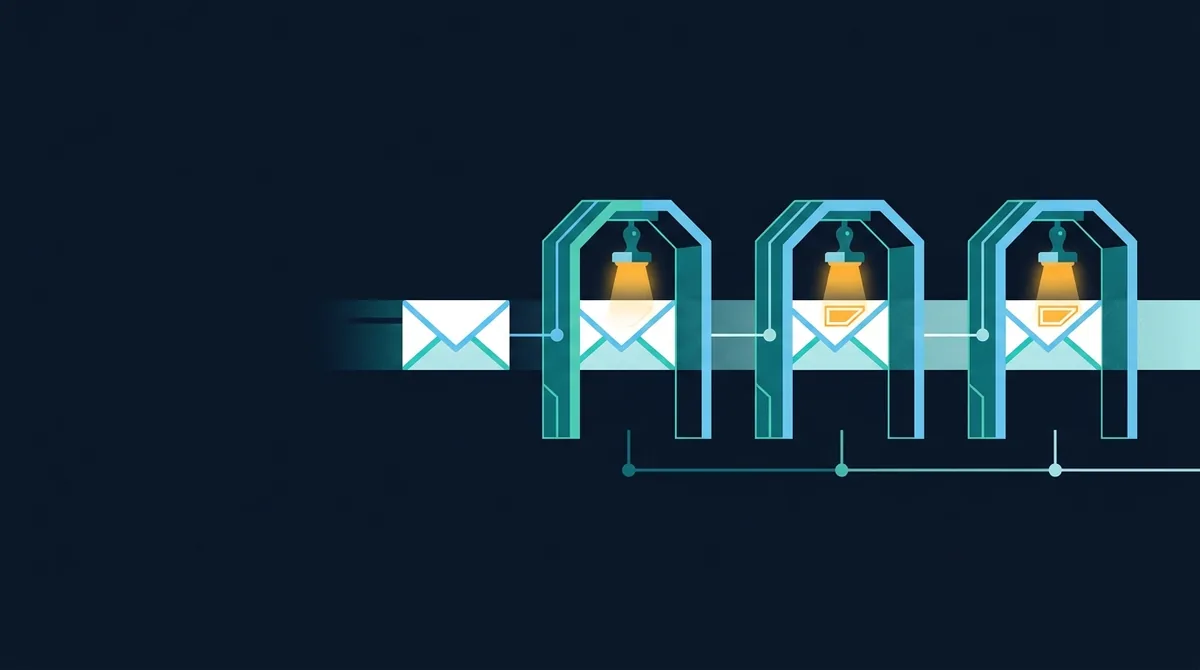
SPF, DKIM and DMARC are three DNS-published policies that let receiving mail servers verify that a message claiming to come from your domain actually did. SPF names your authorised sending servers, DKIM cryptographically signs each message, and DMARC ties both to the visible From address and tells receivers to reject failures. Without all three, anyone can send mail as you, and most receivers will deliver it.
Why a domain without these records is an open relay for phishing
SMTP has no built-in sender verification. The From: header is a string the sending software writes, and nothing in the protocol checks it against anything. That is why a phishing email can say [email protected] and look perfectly genuine in the recipient's client. The three authentication mechanisms were bolted on afterwards, each solving part of the problem, and they only work together. A domain with SPF and DKIM but no DMARC is still trivially spoofable, because neither of the first two is checked against the address the user sees. This surprises people who set up SPF years ago and assumed they were done.
There is now a commercial reason as well as a security one. Since 2024, Google and Yahoo require bulk senders to publish SPF, DKIM and at least a p=none DMARC record, and messages from domains without them are increasingly rejected or sent to spam by receivers generally. Authentication has moved from best practice to a condition of being delivered.
SPF: which servers may send for you
Sender Policy Framework (RFC 7208) is a TXT record at the domain apex listing the hosts allowed to send mail whose envelope sender (the SMTP MAIL FROM, also called the return path) uses that domain. The receiver looks up the record, checks whether the connecting IP address is covered, and records a pass or fail.
example.com. TXT "v=spf1 include:_spf.google.com include:sendgrid.net ip4:203.0.113.10 -all"Reading left to right: include: pulls in another domain's SPF record (here Google Workspace and SendGrid), ip4: authorises one specific server, and -all says every other source fails. The qualifier on all is the policy: -all is a hard fail, ~all a soft fail that receivers treat as suspicious, ?all is neutral and worthless, and +all authorises the entire internet and is worse than no record. A scanner flags +all and ?all under SPF record is too permissive. Use -all. The argument for ~all, that it is gentler while you find forgotten senders, is better served by DMARC's monitoring mode.
include, a, mx and redirect recursively. Exceed it and receivers return a permanent error, which DMARC treats as a failure for every message you send. Each SaaS provider you include typically costs two to four lookups; audit the total whenever you add one, and replace includes with ip4 ranges where a provider publishes stable addresses.SPF's limitation is structural: it checks the envelope sender, not the header From. A phisher sets the envelope to a domain they control with a valid SPF record and puts your domain in the visible From. SPF passes. It also breaks on forwarding, because the forwarding server is not in your record. Both are why DMARC exists.
DKIM: a signature on the message itself
DomainKeys Identified Mail (RFC 6376) has the sending server sign selected headers and the body with a private key and add the signature in a DKIM-Signature header. The public key sits in DNS at selector._domainkey.example.com, where the selector is a label chosen by the sender so that several keys can coexist and be rotated.
google._domainkey.example.com. TXT "v=DKIM1; k=rsa; p=MIIBIjANBgkqhkiG9w0BAQEFAAOCAQ8AMIIBCgKCAQEA..."A valid signature proves the message was signed by whoever holds that domain's key and that the signed parts were not altered afterwards. Unlike SPF it survives forwarding, because the signature travels with the message. Its weakness is the same as SPF's: the d= domain in the signature need not match the From address. A phisher can DKIM-sign with their own domain and still show yours to the user. Use 2048-bit keys; 1024-bit keys are still common and are the minimum any receiver accepts, but they are cheap to factor relative to their lifetime in DNS. Rotate keys by publishing a new selector, switching the sender to it, and removing the old record after a week.
Because selectors are chosen by the sender, an external scanner cannot enumerate them in general. The Scan.now email security checker queries the selectors the common providers use and reports what it finds under DKIM selector discovered; a miss there means "not one of the common selectors", not "no DKIM".
DMARC: alignment and enforcement
Domain-based Message Authentication, Reporting and Conformance (RFC 7489) closes the gap the other two leave. It adds one rule, alignment: the domain that passed SPF (the envelope sender) or the domain that signed with DKIM (d=) must match the domain in the header From. A message passes DMARC if at least one of SPF or DKIM both passes and aligns. Then the policy says what to do with everything else.
_dmarc.example.com. TXT "v=DMARC1; p=reject; sp=reject; rua=mailto:[email protected]; adkim=s; aspf=s; pct=100"| Tag | Meaning | Recommendation |
|---|---|---|
p= | Policy for failing mail: none (deliver, report), quarantine (spam folder), reject | Start at none, finish at reject |
sp= | Policy for subdomains; defaults to p | Set explicitly; attackers use subdomains you never created |
rua= | Where to send daily aggregate reports (XML) | Always set; this is how you discover unknown senders |
ruf= | Where to send per-message forensic reports | Optional; most large receivers do not send them |
adkim= / aspf= | Alignment mode: r relaxed (organisational domain matches) or s strict (exact match) | Relaxed is fine unless subdomains are untrusted |
pct= | Percentage of failing mail the policy applies to | Use during rollout; end at 100 or omit |
A record with p=none is monitoring, not protection: it asks receivers to report but deliver. It is the correct first step and a terrible final state, which is why a scan reports it separately under DMARC policy is p=none. Many domains have sat at p=none for years because nobody read the reports.
Moving from p=none to p=reject without losing mail
- Publish DMARC at
p=nonewith anruaaddress. Use a report-processing service or a parser; raw XML is unreadable at volume. - Read two to four weeks of reports. They list every source IP sending as your domain, with SPF and DKIM results. Expect surprises: a CRM, an invoicing tool, a marketing platform, a printer that emails scans, an old server someone forgot.
- Fix each legitimate sender. Add it to SPF if it uses your domain as envelope sender, or, better, configure it to DKIM-sign with your domain, which survives forwarding and does not consume SPF lookups.
- Move to
p=quarantine; pct=25, then raisepctas the reports stay clean. - Move to
p=rejectand setsp=reject. This is the only policy that actually stops spoofing; everything before it is preparation. - Keep reading reports. New tools get connected; a sender whose DKIM key expired shows up here first.
The mistakes that break it
- Two SPF records. A domain must have exactly one TXT record starting
v=spf1. Two is a permanent error. Merge them. - Exceeding 10 lookups, usually after adding one more SaaS include. Flatten to IP ranges or drop unused providers.
- SPF only, or DKIM only. Neither is checked against the visible From without DMARC, so neither stops phishing on its own.
- Forgetting parked domains. Every domain you own that sends no mail should publish
v=spf1 -all, a DMARC record withp=reject, and a null MX (MX 0 .) so attackers cannot borrow it. - DMARC on the wrong label. The record must be at
_dmarc.example.com, not the apex. A scanner reports the apex lookup under DMARC record and a plain missing SPF under SPF record. - Third-party senders using your domain in the From but their own in the signature. They pass SPF and DKIM on their domain, fail alignment on yours, and get rejected once you enforce. Configure a custom DKIM domain with each provider.
What the three records do not cover
SPF, DKIM and DMARC authenticate the domain in the From address. They do not stop a phisher who registers examp1e.com and authenticates it perfectly, which is why lookalike detection and user training remain necessary; see How to Spot Phishing. They do not encrypt mail in transit; that is the job of STARTTLS, and of MTA-STS (RFC 8461), a policy published over HTTPS that tells sending servers to refuse to deliver to your domain without a valid TLS connection. They do not help when mail passes through a mailing list that rewrites the body and breaks the DKIM signature; ARC (RFC 8617) lets intermediaries record the authentication results they saw so the final receiver can trust them. And BIMI displays your logo next to authenticated mail in supporting clients, but only for domains already at p=quarantine or p=reject, so it is a reward for finishing this guide rather than a substitute for it.
Deploy the three core records first and reach enforcement. MTA-STS is the sensible next step for any domain that receives sensitive mail. ARC is configured by intermediaries rather than by you. BIMI is a marketing decision.
Checking your own domain
Query the records directly and read them against the rules above:
dig +short TXT example.com
dig +short TXT _dmarc.example.com
dig +short TXT google._domainkey.example.com
dig +short MX example.com
The email security checker does the same lookups, counts SPF's DNS lookups, evaluates the DMARC policy and reports MX, DNSSEC and CAA alongside, all from public DNS and without sending any email. This guide belongs to the website security hub, because a domain's email posture is part of its attack surface; the receiving end of the same problem, recognising a spoofed message when one gets through, is covered in How to Spot Phishing, and the transport that carries your DNS queries in Secure DNS Explained. Our position is unambiguous: p=reject on every domain you own, including the ones that never send, and reports read at least monthly.