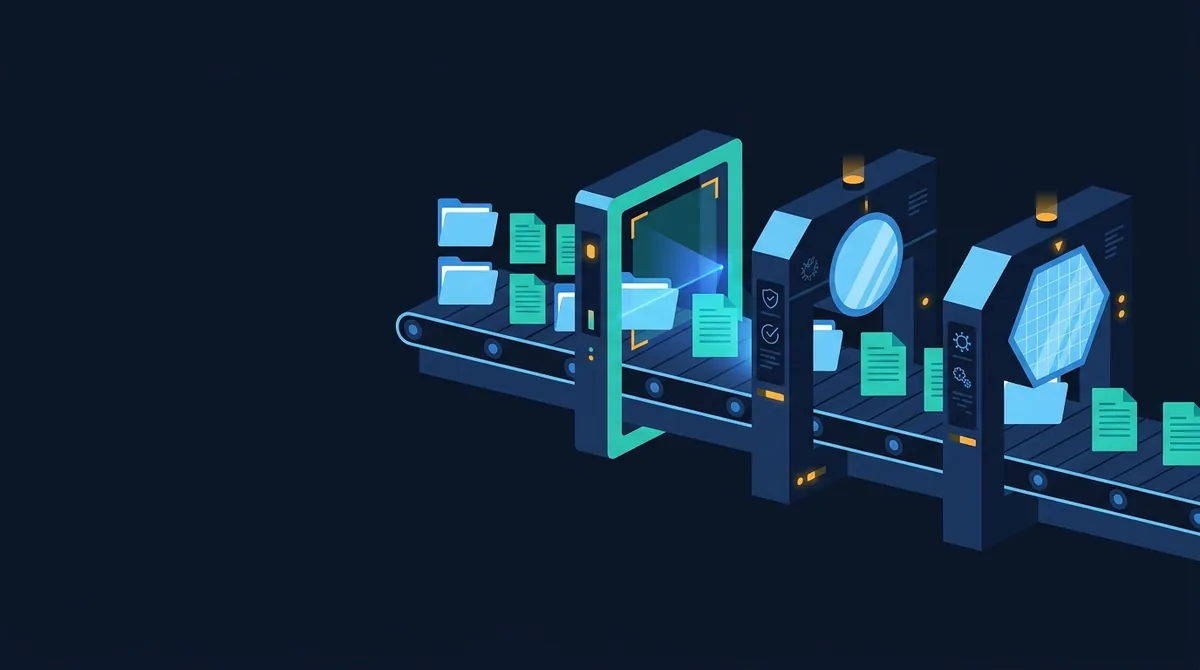
An antivirus scanner works by identifying what a file really is from its bytes, unpacking any containers, and then passing the content through several detectors in turn: exact and pattern signatures for known malware, static heuristics for suspicious structure, emulation or sandboxing for suspicious behaviour, and reputation lookups for the file's hash and signer. Each layer catches what the previous one cannot.
The pipeline, in order
People picture antivirus as a big list of bad files that gets compared against the file on disk. That list exists, but it is one stage in a longer pipeline, and it is not even the first one. When a scanner receives a file, the work happens in roughly this order:
- Type identification. Read the first bytes and decide what the file is, ignoring its name.
- Unpacking and normalisation. Open archives, extract document streams, decompress packed executables, decode encoded scripts.
- Signature matching. Compare hashes and byte patterns against a database of known malware.
- Static heuristics. Score structural oddities that legitimate files rarely have.
- Emulation or sandboxing. Run the file, or a model of it, and watch what it tries to do.
- Reputation. Ask whether the file's hash, signer or origin has been seen before and how it was judged.
The order matters because each stage feeds the next. A signature engine that runs on a zip file without opening it will find nothing; a heuristic that scores a Word document without extracting its macro project will score the wrong thing. The rest of this guide takes each layer in turn and is honest about what it misses, which is the part most product pages leave out. For the wider picture of file scanning on Scan.now, start with the malware and file scanning hub.
Layer 1: identifying what the file really is
Extensions are labels chosen by whoever saved the file. A scanner therefore reads the first bytes, the magic bytes, and matches them against known formats:
| First bytes | Format | What it implies |
|---|---|---|
4D 5A ("MZ") | Windows PE executable, DLL, driver, screensaver | Runs native code |
7F 45 4C 46 (".ELF") | Linux and Android native binary | Runs native code |
50 4B 03 04 ("PK") | Zip, and every Office OOXML file (.docx, .xlsx), JAR, APK | Container; must be opened |
25 50 44 46 ("%PDF") | PDF document | Can carry JavaScript and actions |
D0 CF 11 E0 A1 B1 1A E1 | OLE2 compound file (.doc, .xls, .msg) | Can carry VBA macros |
When the bytes say one thing and the extension says another, that mismatch is itself a finding. An "invoice.pdf" that starts with MZ is an executable wearing a costume, and it is reported as such by the extension mismatch check before any signature has been consulted. Type identification also decides which parsers run next: a PDF goes to the PDF object parser, a PK file to the zip reader, an MZ file to the PE parser.
Layer 2: unpacking and normalising
Almost all malware arrives inside something. A zip inside an email, a macro inside a document, a payload compressed by a runtime packer inside an executable, a PowerShell command encoded as base64 inside a shortcut. The unpacking stage is where a scanner earns its keep, and it is also where the hard engineering is:
- Archives are opened recursively, with limits on depth, file count and total expanded size so that a decompression bomb cannot exhaust the scanner.
- Office documents are parsed as zip (OOXML) or OLE2 (legacy) containers, and the VBA project stream is decompressed so the macro source can be read.
- PDFs have their object streams inflated so that names such as
/JavaScripthidden inside compressed streams become visible. - Packed executables (UPX and dozens of others) are unpacked statically where the packer is known, or run in an emulator until the real code appears in memory.
- Scripts are decoded: base64, hex, character-code arrays and string concatenation are resolved as far as possible.
Every format the scanner cannot open is a blind spot. That is why a password-protected archive is reported rather than passed as clean, and why an unusual or corrupt container should lower your trust rather than raise it.
Layer 3: signatures
A signature is a description of a known malicious file that the engine can test quickly. There are three broad kinds, in increasing order of flexibility:
- Hash signatures match the whole file's MD5, SHA-1 or SHA-256. They are exact and never false-positive, but any change to any byte defeats them. See file hashes explained.
- Byte-pattern signatures match a sequence of bytes, with wildcards, at a given offset or anywhere in the file. They survive recompilation of unrelated parts of the malware.
- Logical signatures combine several patterns with conditions ("pattern A and B, in a PE file, with section count over 5"). YARA rules and ClamAV's
.ldbformat are the common ways to write them.
A minimal YARA rule shows the shape of the thing:
rule Dropper_PowerShell_Download
{
    strings:
        $a = "powershell" nocase
        $b = "DownloadString(" nocase
        $c = "-EncodedCommand" nocase
    condition:
        uint16(0) == 0x5A4D and $a and ($b or $c)
}
Signatures are the reason a well-maintained scanner detects the malware that circulated last week with near-perfect accuracy. They are also the reason it can miss the same malware recompiled this morning. Every match against the database is reported on Scan.now as a known malware signature finding, and the harmless EICAR string is the standard way to confirm this layer is working.
Layer 4: static heuristics
Heuristics do not know a file is malicious; they know it is odd. A static heuristic examines the structure of the file without running it and adds weight for things that legitimate software rarely does:
- An executable whose code section has very high entropy (typical of encryption or packing) and almost no imports, then resolves its real imports at runtime.
- A document that contains a macro which runs automatically on open and calls the shell.
- A PDF with an
/OpenActionthat triggers JavaScript, or a/Launchaction pointing at an executable. - A script that builds a command out of hundreds of character codes, or a URL out of reversed strings.
- A file whose real type contradicts its extension, or that carries a second extension.
The trade-off is obvious: each of these can occur in a legitimate file, so heuristics produce false positives that signatures never do. Good engines weight and combine signals rather than alerting on any one of them, and label the result differently ("Heuristics.", "Suspicious.", "Gen:") so that you know a judgement was made rather than a match found. The comparison of signature, heuristic and behavioural detection goes into the false-positive profiles of each.
Layer 5: emulation and behaviour
Static analysis fails when the file's real content only exists at runtime. The answer is to run it somewhere safe. Desktop antivirus products carry a lightweight CPU emulator that executes the first thousands of instructions of an executable so that a packer decrypts its payload into emulated memory, where signatures and heuristics get a second look. Full sandboxes go further: the file is opened in an instrumented virtual machine and the scanner records process creation, registry and file changes, network connections and injected code. Behaviour such as "a Word process spawned PowerShell, which downloaded a file into the temp directory and ran it" is damning regardless of what the bytes looked like.
Behavioural analysis has its own evasions. Malware checks for virtual-machine artefacts, sleeps for longer than the sandbox will wait, or only detonates when a specific document, locale or domain is present. It is the most expensive layer by far, and it is why a thorough scan of a suspicious sample takes minutes rather than milliseconds.
Layer 6: reputation
The final layer asks a different question: not "is this file bad?" but "has this exact file been seen before, by whom, and what did they conclude?" A hash is sent to a cloud service, which returns prevalence (how many machines have it), age (when it was first seen), the verdicts of other engines, and details of any code-signing certificate. A file that is signed by a well-known publisher and present on millions of machines gets a pass. A file no one has ever seen, unsigned, that appeared an hour ago, is exactly the profile of a fresh malware build and is treated with suspicion even if no other layer fires. Scan.now exposes this layer as the file hash reputation check.
What each layer misses
| Layer | Catches | Misses | False positives |
|---|---|---|---|
| Signatures | Known samples and close variants | Anything new, repacked or polymorphic | Very rare |
| Static heuristics | New files with suspicious structure | Clean-looking droppers, obfuscation the parser cannot resolve | Occasional |
| Emulation / sandbox | Packed and staged payloads, actual behaviour | Sandbox-aware and time-delayed malware | Occasional |
| Reputation | Files already judged elsewhere; unsigned newcomers | Targeted one-off samples, stolen certificates | Rare |
The overlap is the point. Malware that evades signatures by recompiling still has to behave like malware; malware that evades the sandbox by sleeping still has a hash no one has seen before. Scanners that rely on one layer are the ones the industry stopped recommending years ago.
On-access, on-demand and online scanning
Desktop antivirus runs on-access: it hooks file opens and writes and scans in real time, which is what protects you from a download you never asked to scan. On-demand scans walk the disk on request. An online scanner like Scan.now's file scanner is on-demand for a single file: you upload it, it is analysed in memory using signature matching, structural analysis and heuristics, a report is returned and the file is never stored. That makes it a second opinion, not a replacement for real-time protection, and a good one precisely because it is independent of whatever runs on your machine.