
The fix, in one snippet
# macOS
codesign -dv --verbose=4 App.app
# Windows
Get-AuthenticodeSignature .\setup.exe
Illustrative values. Change the paths, hostnames and options to match your own site before using it.
The sections below explain what is tested, why it matters and the alternatives.
What we test
The scanner identifies executables from their headers rather than their names. For Windows PE files it follows e_lfanew to the PE\0\0 signature and reads the COFF header: machine type, subsystem (GUI or console), link timestamp, section names and whether a CLR header (.NET) or an Authenticode signature directory is present. It recognises Mach-O (including fat binaries), ELF, MSI (an OLE compound file with installer streams), JAR and APK (zip with META-INF/MANIFEST.MF or AndroidManifest.xml) and scripts by extension or shebang line. Packer indicators, such as UPX section names or sections with near-random entropy, raise the severity. The default is medium: an executable is not malware, but it is the class of file that can do anything.
Limits: nothing is executed and no signature chain is validated; the check reports that a signature block exists, not that it is trusted.
Why it matters
An executable needs no exploit, only persuasion: "update your media player", "cracked software", "delivery invoice", "your CV as reviewed". Once run, it has every permission you have, which on a home machine is everything. Unsigned or self-signed binaries carry no accountability, and a timestamp in the future or in 1970 usually means a packer rewrote the headers. Windows users are the main target; macOS Gatekeeper requires notarisation but people are talked into right-click-Open, and Linux users are handed curl … | sh lines.
How to fix it
Only run programs from the vendor's own site or an app store, and verify before running. On Windows, Properties > Digital Signatures shows the signer; in PowerShell:
Get-AuthenticodeSignature .\setup.exe | Format-List Status, SignerCertificateOn macOS:
codesign -dv --verbose=4 App.app
spctl --assess --type execute -v App.app
Compare the SHA-256 with the value the vendor publishes (see hash reputation). Run anything you are unsure about in Windows Sandbox or a virtual machine, and never turn off SmartScreen or Gatekeeper "just this once". Guides: is this file safe?, scanning downloads before opening and malware types explained.
Where this fits
Executable program file is check 16 of 20 that the file malware scanner runs under file structure and malware indicators, ordered the way they are worth fixing. That ordering is the point: Fixing this one while the check above it still fails buys less than it looks like.
Fix this one first
Above it in the same category sits Deeply nested archive (medium), where the archive contains further archives several levels deep, a structure used to exhaust scanners and to strip the Mark of the Web before the payload arrives. An attacker who has that does not need this, so it is the better use of the same hour.
What fixing this still leaves open
Executable program file closes one route in. Immediately below it: PDF contains embedded files, where the PDF carries one or more attached files inside it, which can be executables, scripts or further documents that a reader can extract and open; Password-protected archive, where the archive's contents are encrypted with a password, so neither Scan.now nor your antivirus can inspect what is inside before you extract it; EICAR antivirus test file, where the file contains the EICAR test string, a harmless sequence that every antivirus engine is required to detect.
The first few lines
You are a senior web engineer. I ran a security and SEO scanner against my site and it reported the finding below. Fix it properly rather than suppressing the symptom.

Finding: Executable program file (medium severity)
Scanner check id: executable-fileThe rest of this prompt names the pages and line numbers we found the problem on, the configuration to change, and the constraints a good answer has to respect. It is free, it just needs an account so the work is not scraped wholesale.
Sign in with GoogleSigning in is free and takes one click. We store your email address and nothing else.
References
Related guides
 8 min read · Updated Sep 16, 2026
Is This File Safe? A Step-by-Step Way to Judge a File Before Opening It
8 min read · Updated Sep 16, 2026
Is This File Safe? A Step-by-Step Way to Judge a File Before Opening It
You have a file and you are not sure. This guide gives an order of checks: Where it came from, its real type, its hash, a scan, and the...
Read the guide 8 min read · Updated Sep 17, 2026
How to Scan Downloads Before Opening Them (and What Your Browser Already Does)
8 min read · Updated Sep 17, 2026
How to Scan Downloads Before Opening Them (and What Your Browser Already Does)
Browsers, operating systems and online scanners each check downloads differently. What happens between clicking a link and opening the...
Read the guide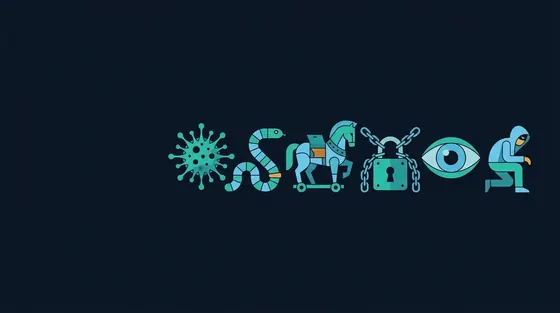 8 min read · Updated Sep 18, 2026
Malware Types Explained: Viruses, Worms, Trojans, Ransomware, Spyware and Infostealers
8 min read · Updated Sep 18, 2026
Malware Types Explained: Viruses, Worms, Trojans, Ransomware, Spyware and Infostealers
The words are used interchangeably but they describe different behaviour. This guide defines each type by how it spreads and what it...
Read the guide