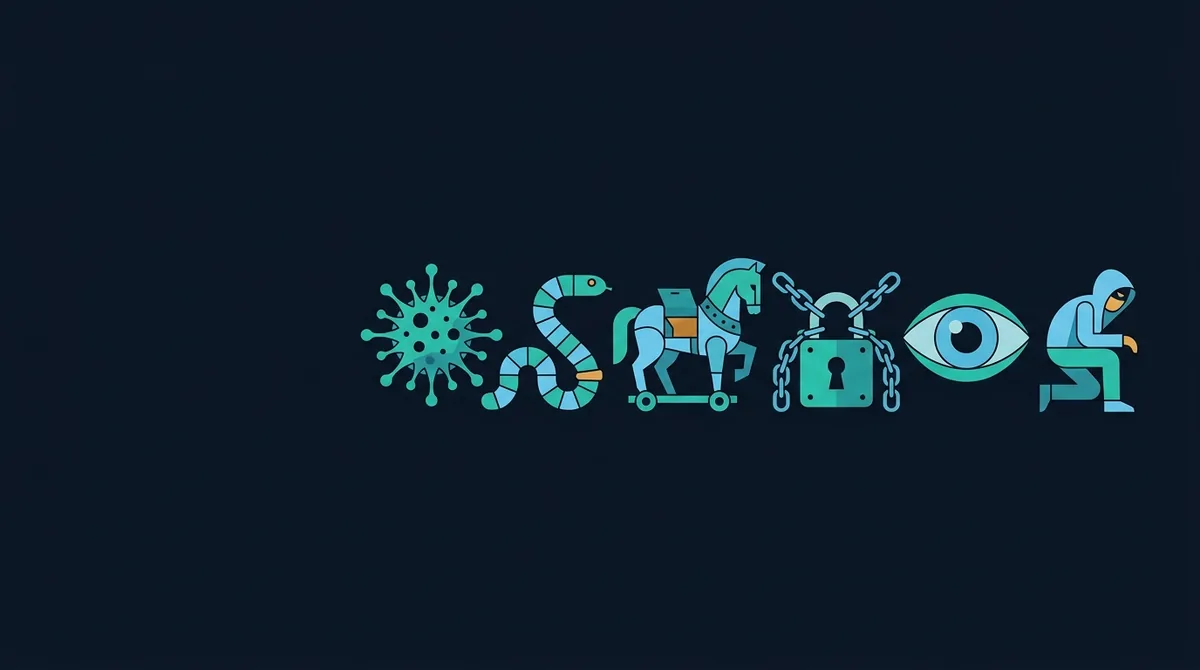
Malware types are best defined on two axes. Spread: a virus attaches itself to other files, a worm copies itself across networks, a trojan is carried in by a person who was tricked. Purpose: ransomware encrypts for payment, spyware watches, infostealers grab credentials and cookies, RATs give remote control, wipers destroy. Most modern samples are trojans by delivery and combine several purposes.
Two axes, not one list
The words are used interchangeably in news reports, which makes them useless for deciding what to do. They become useful once you notice that they describe two different things. Some words describe how malware spreads: virus, worm, trojan. Others describe what it does once running: ransomware, spyware, infostealer, remote access trojan, rootkit, wiper, cryptominer, adware. A third group describes infrastructure: loaders, droppers, botnets. A real sample usually takes one word from each column. The malware in a macro document is a trojan (delivery) that is a loader (role) for an infostealer and, later, ransomware (purposes). Naming it "a virus" is not wrong so much as uninformative.
The rest of this guide takes the categories in that order and, for each, names the file types and delivery methods that usually carry it, because that is what connects a definition to the report you get from a scanner. For how those reports are produced, see the malware scanning hub.
How malware spreads
Viruses
A virus, in the strict sense, is code that inserts itself into other programs or documents so that running the host runs the virus, which then infects more hosts. Classic file infectors prepend or append themselves to executables; macro viruses copy themselves between Word documents through the template. True viruses are now uncommon: modern operating systems make writing to other programs difficult, and attackers no longer need self-replication when email does the spreading for them. When a scanner's detection name says Virus or Win32/Sality, it is describing this specific behaviour, and the practical consequence is that every executable on the machine may be modified, which makes cleaning much harder than for other types.
Worms
A worm spreads by itself, without a host file and without a user, by exploiting a vulnerability or weak credentials on reachable machines. The 2017 WannaCry outbreak was ransomware delivered by a worm using the SMB exploit EternalBlue, and it spread across a network in minutes once one machine was hit. Worms are the reason an unpatched service on an internal network matters even if nobody browses from it. Their file type is typically a bare executable or a script pushed to the next victim; the delivery is the network, not an attachment.
Trojans
A trojan does not spread by itself at all; it is carried in by someone who believed it was something else. That is the delivery model of nearly all malware today: a macro document, a disguised executable, a fake installer, a "cracked" game, a browser update prompt. Its name is a label for the trick rather than the payload, which is why names such as Trojan:Win32/Emotet are so common: the trojan part describes how it got in. The guides on Office macro malware and disguised files are, in these terms, guides to trojan delivery.
What malware does
| Type | Goal | Typical carriers and delivery | What you notice |
|---|---|---|---|
| Ransomware | Encrypt files, demand payment; increasingly also steal data first | Delivered by loaders after an initial trojan or by hands-on intruders | Renamed files, ransom notes, everything at once |
| Spyware / stalkerware | Monitor activity: keystrokes, screen, microphone, location | Installed by someone with access to the device, or bundled apps | Usually nothing |
| Infostealer | Grab saved browser passwords, session cookies, crypto wallets, then exit | Fake software downloads, cracked apps, malvertising, macro documents | Nothing; accounts hijacked later |
| Remote access trojan (RAT) | Give an operator full interactive control | Phishing attachments, disguised executables | Usually nothing |
| Rootkit / bootkit | Hide other malware from the operating system and scanners | Installed by other malware once it has administrator rights | Nothing, by design |
| Wiper | Destroy data irrecoverably, often disguised as ransomware | Targeted intrusions | Machines that will not boot |
| Cryptominer | Use your CPU or GPU to mine cryptocurrency | Bundled downloads, compromised web pages, exposed servers | Heat, fan noise, slowness |
| Adware / PUA | Inject ads, change search, collect browsing data | Bundled installers, browser extensions | Ads, redirected searches, new toolbars |
Ransomware
Ransomware encrypts documents with a key the attacker holds and leaves instructions for payment. Modern operations add extortion, copying data out before encrypting so that a backup does not end the leverage. Against individuals it arrives through the usual trojan routes; against organisations it is usually the final act of an intrusion that began with a stolen password or a loader weeks earlier. The distinctive property for defence is that it is loud and fast: by the time you notice, it has finished, so protection has to happen earlier, at delivery, and recovery depends on offline backups. CISA's StopRansomware guidance is the reference for that preparation.
Spyware and infostealers
Spyware watches over time; an infostealer grabs and leaves. The distinction matters because infostealers are the growth category of the decade: a small executable runs once, reads the saved passwords and cookies out of every browser profile, collects crypto wallet files and authentication tokens, uploads the bundle and often deletes itself. The stolen session cookies let an attacker use your accounts without a password or a second factor, which is why an infostealer infection means changing passwords and signing out of all sessions everywhere. Stealers are sold as a service and delivered through fake downloads, "cracked" software and malvertising more than through email.
Remote access trojans and rootkits
A RAT is a persistent backdoor with an operator on the other end: file browsing, screen capture, webcam, command execution. Commercial "remote administration tools" and RATs are the same software with different intent, which is why scanners report some of them as PUA rather than malware. A rootkit is not a goal but a concealment layer, patching the operating system or the boot process so that other malware's files and processes are invisible to normal tools and to scanners that trust the operating system. Rootkit infections are the strongest argument for reinstalling rather than cleaning.
Infrastructure: loaders, droppers and botnets
Most of what a scanner catches at the door is not the final payload. A dropper carries its payload inside itself and writes it to disk; a loader is smaller, carrying only the code needed to fetch the payload from a server, which lets the operator decide later what to install and swap it when detections catch up. Macro droppers, obfuscated scripts that call PowerShell, and shortcuts pointing at a download command are all loaders, which is why Scan.now's download-and-execute command and obfuscated script checks are high-severity findings even though the file that contains them does nothing harmful by itself. A botnet is the fleet of infected machines a loader builds, rented to whoever pays: for spam, for distributed denial of service, or for installing ransomware in a company network that turns out to be valuable. Emotet ran for years on exactly this model, and one loader infection routinely became three or four different payloads over a week.
Reading a detection name
Vendors encode these categories in the name. Microsoft's format is Type:Platform/Family.Variant, so Trojan:Win32/Emotet.A, Ransom:Win32/LockBit, TrojanSpy:MSIL/RedLine and Backdoor:Win32/AsyncRAT each tell you the axis before the family. ClamAV's Platform.Category.Family gives Win.Ransomware.Lockbit, Doc.Dropper.Agent or Js.Downloader.Generic. The category tells you the urgency: a downloader means look for what came next; spy or stealer means change credentials and revoke sessions; ransom means check backups; rootkit means rebuild. The signature versus heuristic guide explains the rest of the name and how much to trust it, and a known malware signature finding on Scan.now shows the engine's full name so that you can read it.
Trojan:Win32/Emotet.A        -> delivery: trojan;  role: loader
Ransom:Win32/LockBit          -> purpose: ransomware
TrojanSpy:MSIL/RedLine        -> purpose: infostealer (.NET)
Backdoor:Win32/AsyncRAT       -> purpose: remote access
Worm:Win32/Conficker.B        -> spread: worm
PUA:Win32/Presenoker          -> potentially unwanted, not malware
Which files carry which malware
The mapping is loose but real. Executables, installers and disguised executables carry infostealers, RATs and loaders. Macro documents and PDFs carry loaders, which then fetch anything. Scripts (.js, .vbs, .hta, .ps1) and shortcuts are almost always loaders. Archives and disk images carry any of the above wrapped for delivery. Browser extensions carry adware and, increasingly, infostealers. Worms and rootkits are rarely something you download; they arrive over the network or as a second stage. Knowing that a scan found a macro therefore tells you to expect a loader and to look for a download, not to expect the document itself to be the whole story. Scan.now's file scanner reports the structure it finds and any signature match, in memory and without storing the file; what those findings mean for the machine that opened the file is what this guide and is this file safe are for.