
The fix, in one snippet
xn--80ak6aa92e.com  displays as  аррӏе.com  (Cyrillic)
apple.com           is the real one
Illustrative values. Change the paths, hostnames and options to match your own site before using it.
The sections below explain what is tested, why it matters and the alternatives.
What we test
The checker parses the host and decodes any label beginning with xn-- through IDNA (RFC 5891), showing both the punycode and the Unicode form. It then examines the decoded label: whether it mixes scripts (Latin and Cyrillic in one label), whether every character is a confusable of a Latin letter so that the Unicode TR39 "skeleton" matches a well-known brand (the all-Cyrillic аррӏе reads as apple), and whether it uses combining marks or invisible characters. A skeleton match against a brand is high severity; a plausible native-language domain such as münchen.de is reported at low severity for awareness. Limits: legitimate internationalised domains are common in many countries, intent cannot be read from a name, browsers apply their own display rules, and our brand list is finite.
Why it matters
Xudong Zheng demonstrated the homograph attack in 2017 by registering xn--80ak6aa92e.com, which Chrome and Firefox at the time displayed as apple.com, complete with a valid certificate. Browsers responded: Chrome shows punycode for mixed-script labels and whole-script confusables, and Firefox shows Unicode only when the characters come from a single script it considers safe for the TLD. Mail clients, chat apps and SMS previews apply no such rules and render the lookalike as is. The people caught are those who judge a link by how it looks in a message, especially on mobile screens where the address bar is truncated.
How to fix it
Look at the address bar after the page loads, not the link text. If it shows xn--, do not enter anything; open the real site from a bookmark or by typing it. A password manager is a useful tell: it will not offer to fill credentials on a domain it does not recognise. Firefox users can force the punycode form always by setting network.IDN_show_punycode to true in about:config; Chrome has no setting but already shows punycode for confusable labels. Enable phishing-resistant sign-in (passkeys or a security key) on important accounts, and report the link. Related: lookalike domains. Guides: how to spot phishing, browser password managers and two-factor authentication.
Where this fits
Internationalised (punycode) domain is check 4 of 13 that the phishing url checker runs under url and phishing indicators, ordered the way they are worth fixing. That ordering is the point: Fixing this one while the check above it still fails buys less than it looks like.
Fix this one first
Above it in the same category sits Credentials or @ embedded in the URL (high), where the URL contains a user:password@ section before the host, a legacy syntax that phishers use to make an address begin with a trusted name. An attacker who has that does not need this, so it is the better use of the same hour.
What fixing this still leaves open
Internationalised (punycode) domain closes one route in. Immediately below it: Lookalike of a well-known brand domain, where the registered domain closely resembles a well-known brand's domain through a typo, an inserted character, a swapped letter or a plausible variant, but is not it; Domain registered very recently, where the domain was registered very recently, which is typical of phishing infrastructure that is created, used for days and discarded; Link uses plain HTTP, where the link uses plain http://, so anything you send to the page, including a password, would travel unencrypted, and the page itself could be altered on the way.
The first few lines
You are a senior web engineer. I ran a security and SEO scanner against my site and it reported the finding below. Fix it properly rather than suppressing the symptom.

Finding: Internationalised (punycode) domain (high severity)
Scanner check id: url-punycodeThe rest of this prompt names the pages and line numbers we found the problem on, the configuration to change, and the constraints a good answer has to respect. It is free, it just needs an account so the work is not scraped wholesale.
Sign in with GoogleSigning in is free and takes one click. We store your email address and nothing else.
References
Related guides
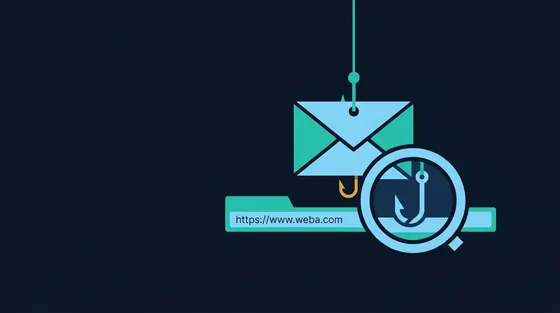 8 min read · Updated Sep 13, 2026
How to Spot Phishing: URLs, Lookalike Domains, Urgency and the Checks That Work
8 min read · Updated Sep 13, 2026
How to Spot Phishing: URLs, Lookalike Domains, Urgency and the Checks That Work
Phishing succeeds by looking legitimate at a glance. This guide teaches the checks that hold up: Reading a URL from the right end,...
Read the guide 6 min read · Updated Sep 17, 2026
Are Browser Password Managers Safe? Built-In vs Dedicated Managers
6 min read · Updated Sep 17, 2026
Are Browser Password Managers Safe? Built-In vs Dedicated Managers
Chrome, Firefox, Safari and Edge all store passwords, and they are safer than reuse. This guide compares built-in managers with...
Read the guide 8 min read · Updated Sep 12, 2026
Two-Factor Authentication: SMS vs Authenticator Apps vs Passkeys and Security Keys
8 min read · Updated Sep 12, 2026
Two-Factor Authentication: SMS vs Authenticator Apps vs Passkeys and Security Keys
A second factor stops most password-based takeovers, but the methods differ enormously in strength. This guide ranks SMS codes,...
Read the guide